Table of Contents
- • 1. Understanding the Registration Ecosystem
- • 2. Step 1 — Creating Your Financial Academy Account
- • 3. Step 2 — Submitting Your Documents and Selecting an Exam
- • 4. Step 3 — Paying the Exam Fee
- • 5. Step 4: Confirming Your Test Appointment
- • 6. Step 5 — Exam Day: What to Bring and What to Expect
- - What to Bring
- - What to Expect at the Centre
- • 7. Common Registration Pitfalls and How to Avoid Them
CME-1A: Introduction to Securities & Investment
Explore the study tools and practical exam preparation built for this course.
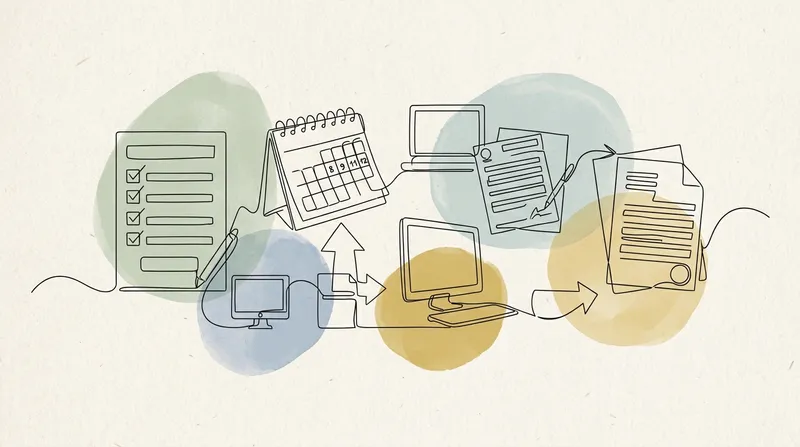
Registering for a Saudi CMA Capital Market Examination (CME) starts with the Financial Academy account and the live page for the chosen paper. The registration conditions, fee and appointment instructions can differ by exam owner, so the current portal and confirmation email control the process.
This guide walks through the stable parts of the process, from account creation and exam selection to payment and appointment confirmation. Do not book travel around an assumed approval time; wait for the confirmed date, centre and delivery instructions.
1. Understanding the Registration Ecosystem
Before diving into the steps, it is important to understand the two key organisations involved in the CME registration process:
- The Financial Academy: This is the official education and examination arm of the Saudi Capital Market Authority (CMA). You will create your candidate profile, submit documents, pay exam fees, and receive exam eligibility approval through their portal.
- The exam owner or delivery partner: Partner examinations, including CISI papers, can have separate scheduling and rescheduling conditions. Follow the provider and booking channel named in the Financial Academy confirmation rather than assuming every CME paper uses Prometric.
The hand-off can differ by paper. Treat the live exam page, Financial Academy account status and confirmation email as the authoritative sequence for your booking.
2. Step 1 — Creating Your Financial Academy Account
The registration journey begins at the Financial Academy portal:
- Navigate to the website and locate the “Register” or “Create New Account” button on the homepage.
- Select your identification type. You will be presented with three options:
- National ID — For Saudi citizens.
- Iqama — For residents of Saudi Arabia holding a residency permit.
- Passport — For international candidates without Saudi residency.
- Fill in your personal details. Enter your full legal name (exactly as it appears on your ID), date of birth, nationality, email address, and mobile number.
- Set a secure password and agree to the terms and conditions.
- Verify your email. You will receive a verification link — click it to activate your account.
Ensure your name on the Financial Academy profile matches your valid photo ID letter for letter. The current policy allows the centre to refuse entry when the registered name and identification do not match.
3. Step 2 — Submitting Your Documents and Selecting an Exam
Once your account is active, log in and proceed to register for a specific CME exam:
- Navigate to the Examinations section within your dashboard.
- Select the CME level you wish to sit — for example, CME-1A (International Introduction to Securities & Investment) or CME-1B (Saudi Regulations).
- Upload the required documents:
- A clear, passport-sized digital photograph (white background preferred).
- A scanned copy of your valid photo ID (the same one used during account creation).
- Educational certificates or proof of qualifications, if required for your chosen exam level.
- Review your application carefully before submitting. Incorrect or blurry documents are the single most common cause of registration delays.
The current Financial Academy pages do not publish one document-review time for every CME paper. Monitor the application status and registered email, respond to any request for additional information, and do not plan a sitting around an unofficial turnaround estimate.
Free Saudi CMA CME Registration: A Step-by-Step Guide to Booking Your Exam Practice Questions & Exam Preview
Try 15 Saudi CMA CME Registration: A Step-by-Step Guide to Booking Your Exam practice questions from Equities and Stocks
Practice Saudi CMA CME Registration: A Step-by-Step Guide to Booking Your Exam exam questions with answers and explanations. The full course includes 5 mock exams and complete syllabus coverage.
Exam Preview
In the context of financial markets, what distinguishes a primary market from a secondary market?
Flashcards
What is the primary function of the financial services sector?
Focus Learn
- Distinction between wholesale and retail sectors
- Functions of Equity, Bond, FX, and Derivatives markets
- Types of Commercial Lending (Lines of credit, Unsecured loans, Term loans)
- Characteristics of Private and Digital/Crypto markets
- Role of Investment Banks in M&A, finance raising, and proprietary trading
- Key functions of Custodian banks (safekeeping, settlement, asset servicing)
- Definition of a financial conglomerate by the Bank for International Settlements (BIS)
- Concept of mutual societies and the demutualization process
- Distinction between P2P lending and Crowdfunding forms
- The role of Insurance Companies and Pension Funds as major market investors
Financial Markets Overview
The financial services sector links organizations seeking capital with those with capital available to invest. The wholesale/professional sector includes Equity markets (trading shares on regulated exchanges with indices like S&P 500, FTSE 100), Bond markets (debt instruments for raising capital, influenced by interest rates and credit risk), Foreign Exchange (decentralized OTC trading of currencies for trade, speculation, and hedging), Derivatives (trading options, swaps, futures based on underlying assets like interest rates, mostly OTC but moving to exchanges), Insurance (management of personal/corporate risk, dominated by entities like Lloyd's and large reinsurers like Munich Re), Commercial Lending (business loans, term loans, unsecured loans, lines of…
Unlock all Focus Learn
Open every chapter’s key areas, pitfalls, exam traps and key numbers.
4. Step 3 — Paying the Exam Fee
After submitting your documents and selecting your exam, you will be prompted to pay the registration fee:
- Fee: Use the amount displayed on the chosen exam page. For reference, CME-1A and CME-1B were each SAR 1,100 and CME-4A was SAR 2,100 on 22 August 2026.
- Payment methods: The Financial Academy portal accepts credit/debit cards (Visa, Mastercard) and SADAD (Saudi Arabia’s national electronic payment system).
- Invoice and receipt: Upon successful payment, you will receive a downloadable invoice and confirmation email. Save these — you may need the receipt for employer reimbursement or record-keeping purposes.
Complete payment within the deadline shown in the live portal or payment notice. If no deadline is displayed, do not assume a 48-to-72-hour window; confirm the applicable instruction with the Financial Academy before leaving an application unpaid.
5. Step 4: Confirming Your Test Appointment
Once the registration is confirmed, use the appointment instructions in the Financial Academy account or confirmation email. The named channel and exam-owner policy take precedence over third-party registration guides:
- Open the booking link supplied for your paper, not a search-engine result for a different exam provider.
- Confirm your identity details exactly as they appear on your Financial Academy profile and accepted photo ID.
- Select only the centres and dates offered in that booking channel. Availability and international delivery are exam-specific.
- Select your preferred date and time. Exam slots are typically available on weekdays; weekend availability varies by location.
- Confirm your booking and save the confirmation email and scheduling receipt. You will need these on exam day.
Scheduling strategy: Book your exam at least 3 to 4 weeks out. This gives you a solid revision window while securing popular time slots before they fill up, especially during peak registration seasons (Q1 and Q4).
6. Step 5 — Exam Day: What to Bring and What to Expect
Your registration is complete — now it is time to show up prepared:
What to Bring
- Your original, valid, unexpired photo ID (the exact one you registered with — National ID, Iqama, or Passport).
- Your appointment confirmation in the form requested by the centre.
What to Expect at the Centre
- Arrive at the time stated in your appointment instructions. The Financial Academy policy requires at least 20 minutes for CISI sittings and at least 30 minutes for Academy-owned examinations.
- Locker storage is provided for personal belongings.
- Scratch paper and a pen (or a dry-erase board) are provided by the centre for calculations.
- The exam interface is computer-based with a countdown timer displayed on screen. Once you submit or the timer expires, your preliminary result (pass/fail) may be shown immediately depending on the exam.
7. Common Registration Pitfalls and How to Avoid Them
Even experienced professionals make avoidable mistakes during the registration process. Watch out for these:
- Name mismatches: Your name on the Financial Academy profile, appointment record and physical ID must be identical. Double-check spelling, name order and middle-name inclusion.
- Expired ID: Your photo ID must be valid on your exam date, not just on the day you register. If your passport or Iqama is due to expire before your exam, renew it first.
- Uploading blurry documents: Low-quality scans or photos taken at poor angles delay the approval process. Use a flatbed scanner or a high-quality camera app.
- Missing the appointment step: Follow every scheduling instruction shown after payment and retain the final confirmation; a paid registration is not evidence of a specific seat unless the portal confirms it.
- Missing the payment window: If you do not pay the exam fee within the portal’s specified timeframe, your application is automatically cancelled.
By following this guide from start to finish, you will navigate the CME registration process smoothly and focus your energy where it matters most — studying for the exam itself.
Frequently Asked Questions
1 How do I create an account on the Financial Academy portal?
Visit the Financial Academy website, click 'Register' or 'Create Account', and choose to register using your Saudi National ID, Iqama, or Passport. Complete the personal details form, set your password, and verify your email to activate the account.
2 What documents are required to register for a CME exam?
You need a valid government-issued photo ID (National ID, Iqama, or Passport), a passport-sized digital photograph, proof of relevant educational qualifications, and a valid email address for correspondence and scheduling confirmations.
3 How much does the CME exam registration cost?
Fees differ by examination and can change. On 22 August 2026, the Financial Academy listed CME-1A and CME-1B at SAR 1,100 each and CME-4A at SAR 2,100; use the amount on the live exam page at checkout.
4 Can I reschedule or cancel my Prometric booking?
For CISI examinations booked through the Financial Academy, the current policy makes the first reschedule free at least 15 days before the sitting, charges SAR 100 at 4-14 days and SAR 400 inside 4 days, and does not offer cancellation. Check the current policy before changing a booking.
5 How long does the entire registration process take from start to finish?
The Financial Academy does not publish one guaranteed end-to-end processing time for every CME paper. Use the status and appointment instructions in your account and confirmation email rather than relying on a fixed 5-10-day estimate.
Ready to Prepare for Your Exam?
Prepare with syllabus-aligned study tools, realistic practice and course-grounded AI support.
Explore Courses